A Practical Guide on How to Use Proxies for Any Application
Learn how to use proxies effectively in browsers, apps, and scripts. This guide covers setup, authentication, and advanced tips for real-world success.
At its core, using a proxy is about sending your internet traffic through a middleman server. This simple act swaps your IP address for another one, which is the secret sauce for everything from verifying ads to collecting data and running large-scale media campaigns. It's the key to avoiding IP blocks and seeing the web from anywhere in the world without a hitch.
Your Starting Point for Using Proxies Effectively
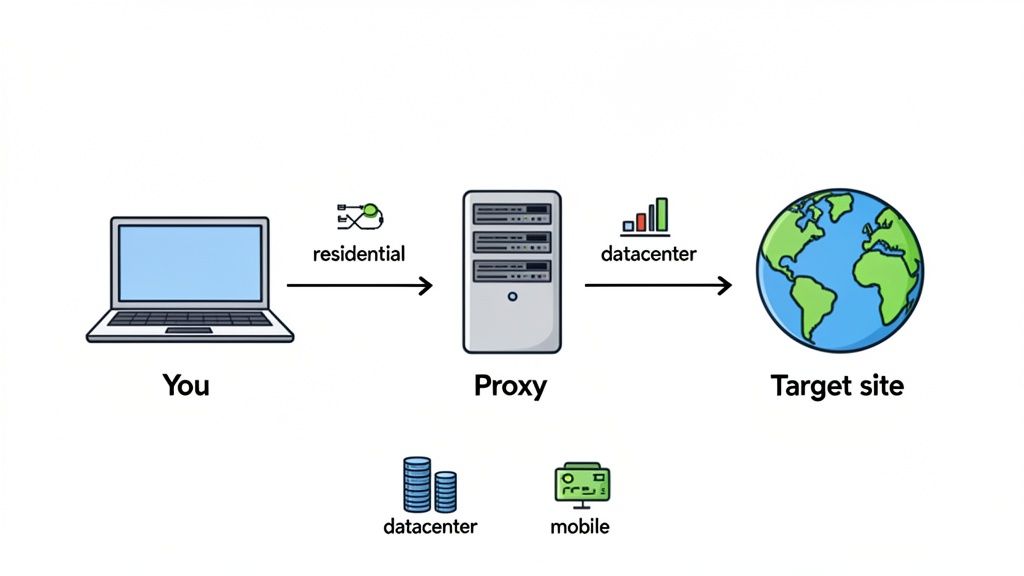
Getting started with proxies can feel a little technical, but the idea is actually quite simple. Imagine your computer wants to visit a website. Instead of going there directly, it first connects to a proxy server. That server then makes the request to the website for you.
To the website, it looks like the proxy server is the visitor—it never sees your real IP address. This small detour is what makes all the difference, especially for businesses that need clean, uninterrupted access to stay competitive. Without it, the kind of repetitive tasks we do every day, like checking ad placements or scraping product prices, would get our main IP address flagged and blocked in no time.
Why the Right Proxy Type Matters
Here's something I've learned from years in the field: not all proxies are the same. The type you pick will make or break your project, directly affecting your speed, success rate, and how anonymous you appear. Getting this right from the start is the first step toward building a system that actually works.
You’ll mainly run into three types:
- Residential Proxies: These are real IP addresses from real home internet connections, assigned by providers like Comcast or AT&T. Because they look like genuine, everyday users, they're incredibly hard for websites to detect. This makes them perfect for sensitive work like ad verification or managing social media accounts.
- Datacenter Proxies: These IPs come from servers housed in massive data centers. They're lightning-fast and cost-effective, but they're also much easier for websites to spot as non-human traffic. They're great for high-speed jobs where the target site isn't too strict.
- Mobile Proxies: These are the real deal—they route your connection through mobile carrier networks, giving you an IP address from a real mobile device. They offer the highest level of trust but come at a premium price.
Choosing the right tool for the job is all about preventing frustrating errors and making sure your projects run without constant interruptions. This chart can help you quickly figure out which proxy type fits your goal.
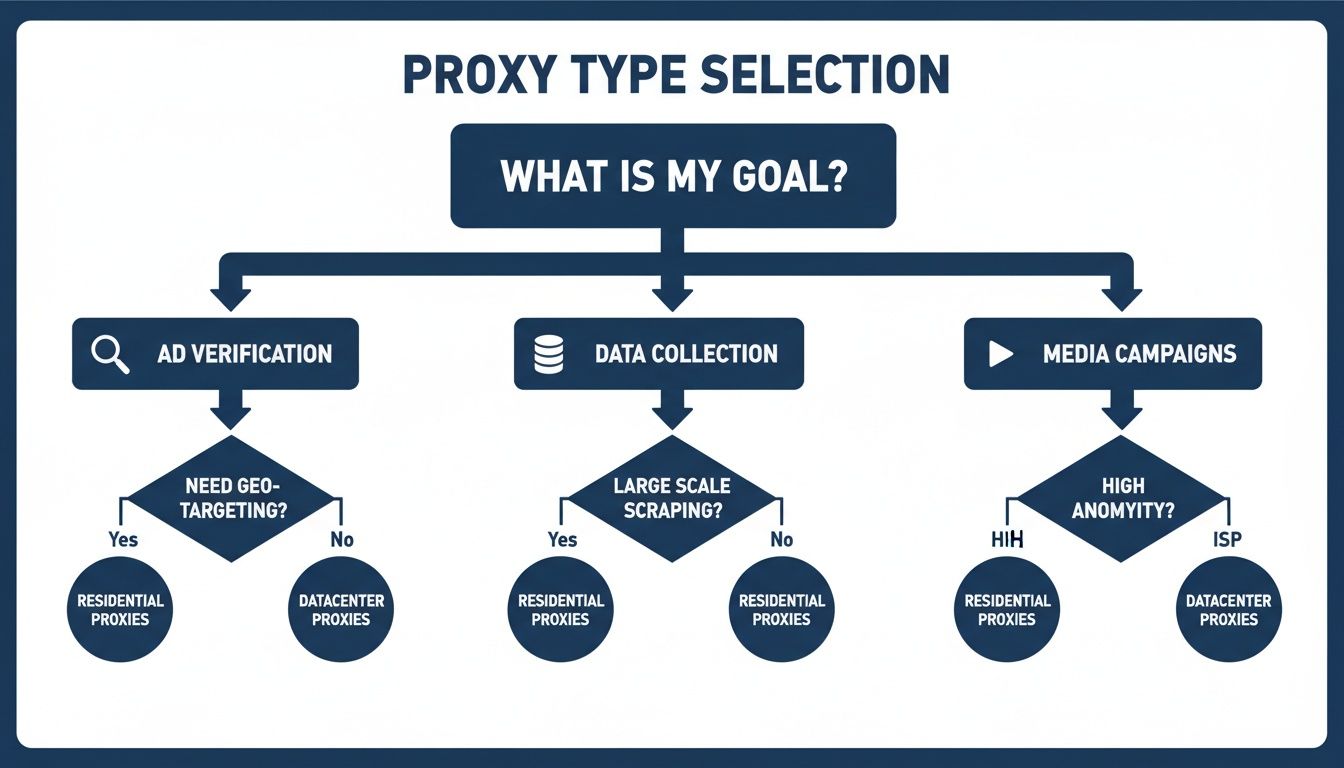
As you can see, high-stakes tasks like ad verification and media campaigns really need the trust that residential or mobile proxies provide. On the other hand, some data collection projects can get by with datacenter proxies, but only if the target isn't too sophisticated.
Matching the Right Proxy to Your Task
To make this even clearer, here's a quick-reference table. I find it helpful for quickly matching a project's needs with the best proxy type.
| Use Case | Recommended Proxy Type | Why It Works Best | Key Feature to Look For |
|---|---|---|---|
| Ad Verification | Residential or Mobile | Appears as a real local user, bypassing geo-blocks and cloaking. | Geo-targeting at the city/state level. |
| Large-Scale Data Collection | Rotating Residential | Constant IP rotation prevents blocks and CAPTCHAs during long scraping jobs. | A large, diverse pool of IPs. |
| Media Buying Campaigns | Dedicated Residential | Provides a stable, clean IP for managing multiple ad accounts without raising flags. | Static IP sessions (Sticky IPs). |
| Market Research | Residential | Allows you to view search results and websites as a local consumer would. | Precise country-level targeting. |
Ultimately, the goal is to look like a legitimate user to your target. The proxy you choose is the most important factor in achieving that.
The Business Impact of Smart Proxy Selection
In the world of media buying, every impression counts, and speed is everything. Here, proxies have become essential for scaling campaigns without getting shut down. It's no surprise that the residential proxy market is booming, with projections showing growth from USD 122.03 million in 2025 to USD 148.33 million by 2030. You can see the full market trend analysis for more details.
From what I've seen, media buyers often report 40-50% faster campaign launches simply by using a smart proxy infrastructure.
When you choose dedicated, clean IPs from a provider like ProxyPurpose Inc., you're not just buying an IP address. You're investing in operational stability. It’s the difference between a smooth, consistent flow of data and spending your days fighting off frustrating IP bans.
Getting Your First Proxy Up and Running
Alright, enough with the theory—let's get our hands dirty. Setting up a proxy for the first time can feel a little intimidating, but the good news is that once you understand the core components, the process is pretty much the same everywhere you use them. We'll walk through how to plug in a proxy in the most common places, from your browser to your code.
At the heart of every setup is the proxy string. It's just a single line of text that tells your software where the proxy is and how to log in. Get this format right, and you're halfway there.
The Anatomy of a Proxy String
Think of a proxy string as a special URL. It bundles everything needed for a connection—protocol, login details, server address, and port—into one compact line.
A standard proxy string with authentication will look like this:
protocol://username:password@proxy_host:port
Let’s quickly unpack that:
- protocol: This is the type of proxy connection, which is usually
http,https, orsocks5. - username:password: These are your credentials. They prove you’re authorized to use the proxy service.
- proxy_host: This is the server address (either an IP or a hostname) that you’re connecting through.
- port: The specific port number on the proxy server assigned for your connection.
A classic rookie mistake is forgetting a small part of this string, like the @ symbol or one of the colons. It'll cause the connection to fail every time, so always give it a quick double-check.
Two Paths to Authentication
Before you can route traffic through a proxy, you need to prove you have access. Providers typically offer two ways to do this, and each has its pros and cons.
-
Username and Password: This is the most common method by far. You simply embed your credentials right into the proxy string, as we just saw. It’s secure and incredibly flexible, letting you use your proxies from anywhere.
-
IP Whitelisting (IP Authentication): With this approach, you register your own computer’s static IP address with your proxy provider. Their server will then automatically approve any connection requests coming from that IP, no password needed. It's super convenient for a dedicated server or an office with a static IP, but it falls short if your IP changes.
So, which one is better? For most people, especially if you're running scripts from various cloud servers, username/password authentication is the way to go. It’s just more reliable and portable. IP whitelisting is a solid choice for a fixed, stable setup where you want to skip the login step.
Configuring Proxies in Web Browsers
Need to do some quick manual work, like checking geo-blocked content or verifying an ad placement in another country? Setting up a proxy directly in your browser is the fastest way to get it done.
While you can configure proxies deep within your operating system's network settings, I find that to be a real pain. A much better way is to use a browser extension. Tools like FoxyProxy or Proxy SwitchyOmega are lifesavers. They let you toggle proxies on and off with a click, and you can even create multiple profiles to switch between different locations or providers effortlessly.
This is my personal go-to for any quick, manual checks. It keeps my normal browsing traffic separate and gives me total control without messing with system-wide settings.
Using Proxies in Your Code and Scripts
For any kind of automation, you’ll be setting up the proxy directly in your code. The idea is exactly the same—you're still just providing that proxy string—but the syntax will look a bit different depending on the language.
Here are a few practical examples.
Using cURL on the Command Line
If you're working in the terminal, cURL is your best friend. The -x flag is all you need to route your request through a proxy.
curl -x "http://user:pass@proxy.server.com:8080" "http://target-website.com"
Using Python with the requests Library
In Python, the fantastic requests library makes this a breeze. You just define your proxies in a dictionary and pass it into your request.
import requests
proxies = { 'http': 'http://user:pass@proxy.server.com:8080', 'https': 'https://user:pass@proxy.server.com:8080', }
response = requests.get('http://target-website.com', proxies=proxies) print(response.text)
Using Node.js with the axios Library
It's a similar story in the Node.js world with a library like axios. You pass a proxy configuration object along with your request.
const axios = require('axios');
const proxy = { protocol: 'http', host: 'proxy.server.com', port: 8080, auth: { username: 'user', password: 'pass' } };
axios.get('http://target-website.com', { proxy }) .then(response => { console.log(response.data); }) .catch(error => { console.error(error); });
Key Takeaway: It doesn't matter if you're using a browser extension,
cURL, or a Python script. The core process is always the same: provide a host, a port, and your login details. Once you get comfortable with the proxy string format, you can apply that knowledge to almost any tool out there.
Integrating Proxies with Your Essential Tools
Once you’ve moved past setting up a proxy in your browser and tinkering with simple scripts, you get to the fun part: integrating proxies with the heavy-duty tools of the trade. For any kind of high-volume work—whether it's large-scale data collection or media buying—connecting your proxies directly to automation frameworks and management software is how you truly scale your operation.
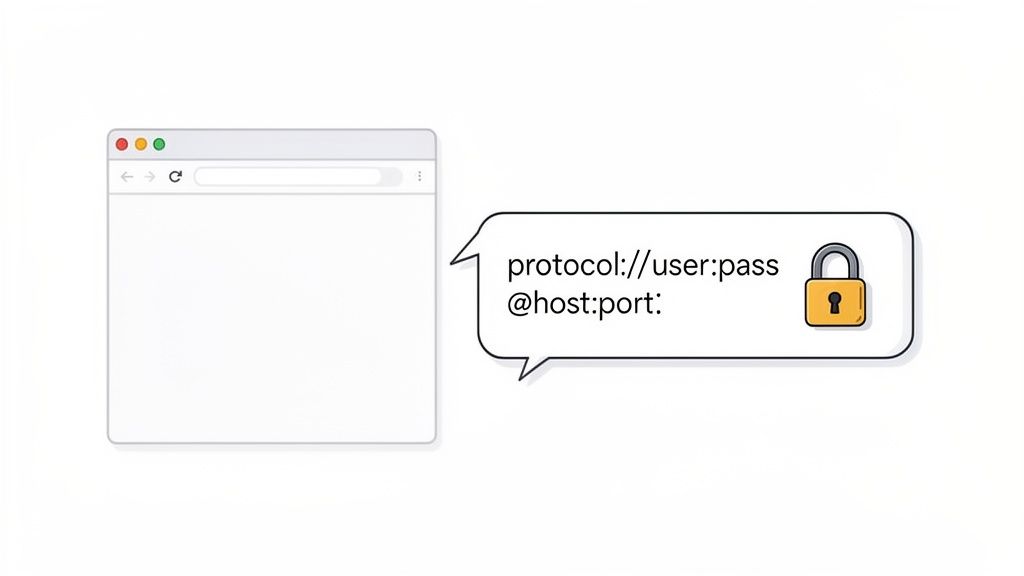
At its core, this is all about telling your software how to route its traffic. You’re making sure every single automated action originates from the IP address you choose, which is the secret to making a fleet of bots look like a crowd of individual, unconnected users.
Connecting Proxies to Automation Browsers
Modern web scraping and automated testing run on headless browsers and frameworks like Puppeteer (for Node.js) and Selenium (for just about everything else). To get them to play nice with proxies, you have to configure the browser instance right when it launches.
This is usually handled by passing a command-line argument that includes your formatted proxy string as the browser process starts up. It’s a foundational step for any serious automation project because it guarantees that all browser activity, from the first page load to every background API call, is routed correctly from the get-go.
Here's how that looks in practice:
- For Puppeteer: You simply add the
--proxy-serverflag into thelaunchoptions. - For Selenium: The process involves creating a
Proxyobject, defining its details, and then attaching it to the browser'sDesiredCapabilitiesorOptions.
Imagine you're building an ad verification bot. You’d spin up a new browser instance for each ad you need to check, configuring each one with a unique, dedicated residential IP from the specific city you're targeting. This is the only way to ensure your bot sees what a real local user would, not some cached or irrelevant ad.
Streamlining with Proxy Manager Applications
As your operations expand, trying to manage hundreds or thousands of individual proxy strings by hand becomes a logistical nightmare. Constantly swapping credentials in your scripts is slow, error-prone, and just plain inefficient. This is precisely the problem that proxy manager applications were built to solve.
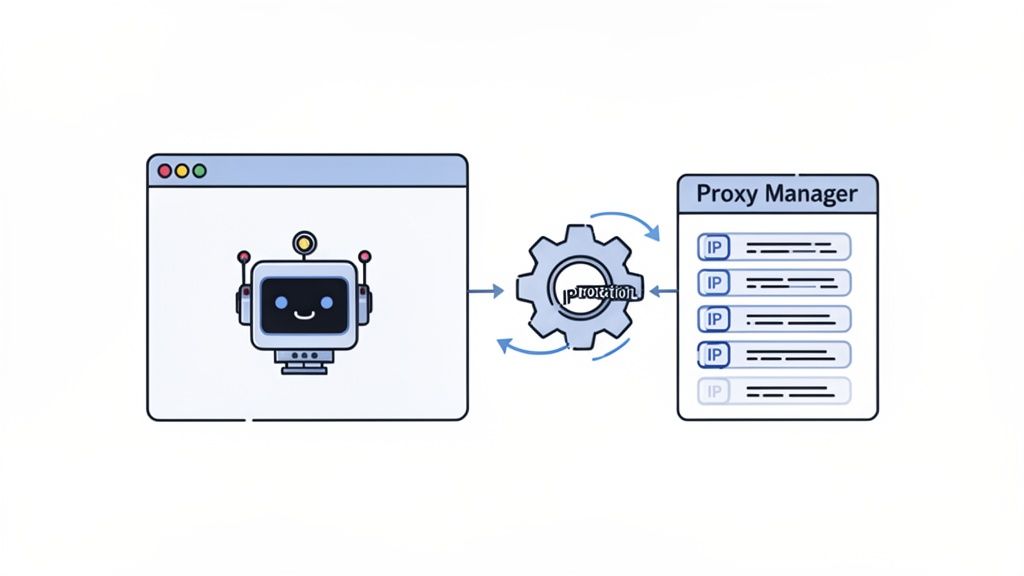
A proxy manager is a tool that sits between your applications and your proxy provider. You point all your scripts and tools to the manager, and it takes care of the heavy lifting—things like IP rotation, automatically retrying failed requests, and managing sessions for you.
A proxy manager is like a smart traffic controller for all your requests. It takes a simple request from your script and adds the right proxy, headers, and rotation logic before forwarding it to your target. It radically simplifies your code.
This setup offers some massive advantages:
- Centralized Control: Your entire proxy pool is managed from a single dashboard.
- Automated Rotation: The manager can swap IPs on every single request or maintain sticky sessions based on the rules you set.
- Cleaner Code: Your application only ever talks to one endpoint (the manager), which hides all the complexity of the proxy pool from your script.
Real-World Integration for Scaled Operations
Let's pull this all together into a real-world scenario. You're tasked with a massive data collection job: gathering pricing information from thousands of product pages on a major e-commerce site. Your script needs to hammer their servers with over 100,000 requests per day without getting your IPs burned.
Trying to do this by manually managing proxies is a non-starter. Instead, you'd load your entire pool of dedicated residential IPs from a provider like ProxyPurpose Inc. directly into a proxy manager. Then, your scraping scripts (built with Selenium or Puppeteer) are configured to send all their requests through the proxy manager's local port.
The manager automatically rotates the residential IP for each request, making your traffic appear to come from thousands of different households. This approach dramatically boosts your success rate and helps you fly under the radar of the target site's security systems. By combining top-tier proxies with smart management tools, you can build a resilient, scalable, and efficient data collection engine. This is how the pros learn how to use proxies for the most demanding jobs.
Getting Serious: Advanced Proxy Techniques for Scale
Once you have the basics down and your proxies are configured, it's time to level up. This is where you shift from simply using a proxy to strategically managing your connections for performance, anonymity, and serious scale. The following techniques are what separate professional, high-volume operations from amateur setups that constantly wrestle with blocks and sluggish performance.
We're going to dig into concepts like IP rotation, geo-targeting, and shoring up your anonymity to make sure your projects run without a hitch, no matter how big they get.
The Art of IP Rotation
IP rotation is the bedrock strategy for any task that involves a ton of requests. At its core, it's just the practice of frequently changing your IP address to spread your traffic out and avoid tripping rate limits or anti-bot systems. But how you rotate is just as important as the fact that you're doing it.
You'll generally encounter two main models for rotation:
- High Rotation (Per-Request): With this approach, every single request you send out gets a brand-new IP address. This is the gold standard for large-scale data collection, where you want your footprint to be as scattered and anonymous as possible.
- Sticky Sessions: Here, you grab a single IP and hold onto it for a set amount of time—maybe 10 or 30 minutes. This is absolutely essential for any task involving a multi-step user journey, like navigating a checkout process or managing a social media account. Changing IPs mid-session would get you logged out or flagged in an instant.
The right choice comes down to what you're trying to do. Scraping thousands of product pages? High rotation is your best friend. Verifying a complex, multi-page ad flow? A sticky session is non-negotiable.
Geo-Targeting for Localized Insights
Another incredibly powerful tool in your arsenal is geo-targeting. This gives you the ability to select proxies from specific countries, states, or even down to the city level. This isn't just a neat trick; for many businesses, it's a critical capability.
Imagine you're a media buyer running a campaign that shows different ads to users in New York versus Los Angeles. The only real way to confirm the right ads are being served is to make your requests look like they're coming from those exact locations. Using a geo-targeted proxy from New York lets you see precisely what a user in Manhattan sees.
This is also a must-have for:
- Scraping localized search results to get a handle on regional SEO.
- Testing website performance and load times from various international locations.
- Accessing content or services that are locked to specific countries.
Beyond the IP: Anonymity and Performance
Here's something many people learn the hard way: just hiding your IP isn't always enough. Sophisticated websites are on the lookout for other digital breadcrumbs that can reveal your real identity or the fact that you're using a proxy. To truly operate at scale, you have to plug these often-overlooked leaks.
True anonymity is a multi-layered defense. An exposed DNS request or a unique browser fingerprint can undo all the work your proxy is doing, instantly revealing your operation's true origin.
Two of the biggest giveaways are DNS leaks and browser fingerprinting. A DNS leak happens when your system sends a request to look up a domain name outside the proxy tunnel, exposing your real ISP. Browser fingerprinting is even sneakier; it involves collecting tiny details about your browser—like fonts, plugins, and screen resolution—to create a unique signature that can track you even as your IP changes.
This is where specialized proxy solutions become invaluable. For instance, ProxyPurpose Inc. offers a feature called Shield Protection, which is designed to actively block these leaks and scrub identifying data, making sure your anonymity stays intact.
Maximize Throughput Without Getting Flagged
Finally, scaling up is a constant balancing act between speed and stealth. You have to manage your concurrent connections—the number of simultaneous requests you're making—to get data as fast as possible without overwhelming the target server and getting your entire IP pool banned.
There's no magic number here; the ideal concurrency depends entirely on how sensitive your target is. A good rule of thumb is to start low (think 5-10 concurrent connections) and slowly ramp it up while keeping a close eye on your success rate. If you suddenly see a spike in errors or CAPTCHAs, you've found the ceiling. A quality proxy provider with a large, clean pool of IPs will always let you push this limit much higher than a cheap, shared service.
These advanced techniques are what power the entire field of large-scale data collection. It’s no surprise that the proxy server software market, valued at USD 1.7 billion in 2023, is projected to hit USD 3.8 billion by 2032. Proxies are the engine behind an estimated 70% of the 1.1 billion daily IP rotations used for scraping tasks. To see the full scope of these trends, you can explore the full market analysis on DataIntelo. Mastering rotation, geo-targeting, and anonymity isn't just a technical exercise—it’s a core business requirement for staying competitive.
Proven Proxy Strategies for Critical Business Tasks
<iframe width="100%" style="aspect-ratio: 16 / 9;" src="https://www.youtube.com/embed/rJvlIBm9EBA" frameborder="0" allow="autoplay; encrypted-media" allowfullscreen></iframe>Knowing the basics of setting up a proxy is just the start. The real skill lies in matching the right strategy to the right job, especially when the stakes are high. A generic, one-size-fits-all approach simply doesn't cut it when a single blocked IP can torpedo an entire campaign or data-gathering operation.
This is where you need to move beyond the "how" and get into the "why" of specific professional configurations. Let's break down some battle-tested strategies for common, high-impact business tasks.
Ad Verification and Media Buying
If you're in media buying or ad verification, you live and die by one rule: you have to see the digital world exactly as your target audience does. It's absolutely crucial to confirm that your ads are showing up in the right places, for the right people, without being tricked by cloaking mechanisms that serve different content to bots.
This is a job for clean, dedicated residential IPs. They are your most valuable asset. Using a residential proxy from a specific city—let's say Chicago—makes your verification script look like it's coming from a genuine local. Ad platforms are far less likely to flag this kind of traffic, which means you get to see the actual ad placements intended for that region. Try this with a cheap datacenter proxy, and you'll likely get spotted and served default ads, making your entire effort pointless.
A high-trust IP is the foundation of campaign integrity. It guarantees that what you see is what your customers see, preventing wasted ad spend and protecting brand safety. This is why we built ProxyPurpose Inc. around providing dedicated, clean residential IPs that maintain their reputation.
The market statistics back this up. As ad platforms get smarter, the proxy server service market is expected to jump from USD 2.51 million in 2025 to a staggering USD 6.44 million by 2035. The results speak for themselves: proxy users in ad verification can slash invalid traffic by 75%. For growth marketers, rotating an IP every 10 minutes to mimic organic user behavior has been shown to boost affiliate conversions by 35%. You can discover more insights about the proxy service market to see just how fast this space is growing.
Large-Scale Data Collection
When you’re trying to pull data from thousands or even millions of web pages, your biggest headaches are going to be CAPTCHAs and outright IP bans. A solid scraping architecture isn't just about sending requests; it's about making those requests look like they’re coming from a massive, disconnected group of real people.
The solution here is a smart routing layer on top of a massive pool of rotating residential proxies. Instead of hammering a target with thousands of requests from one IP, a smart router automatically grabs a fresh IP for every single request. This high-rotation strategy makes it nearly impossible for anti-bot systems to spot a pattern.
A winning setup includes:
- A huge, diverse IP pool to lower the odds of using a previously flagged IP.
- Automatic rotation for every request so no single IP builds a suspicious history.
- Smart error handling that automatically retries a failed request with a new IP.
Services like ProxyPurpose Inc. have features that handle all this complexity for you, freeing up your scrapers to do what they do best: gather data.
The table below breaks down how these strategies apply to different high-stakes scenarios.
Use Case Specific Proxy Configurations
A breakdown of optimal proxy settings and strategies tailored to high-stakes professional applications.
| Use Case | Optimal Rotation Strategy | Geo-Targeting Needs | Key Anonymity Concern |
|---|---|---|---|
| Ad Verification | Sticky sessions (e.g., 10-30 minutes) | City or regional specific | Appearing as a genuine consumer from a target location. |
| Large-Scale Scraping | Rotate IP on every request | Country or state-level is often sufficient | Avoiding detection as a bot; blending into normal user traffic. |
| Quantitative Finance | None (static IP) | Co-located with financial exchanges | Speed and reliability; anonymity is not the primary goal. |
Ultimately, choosing the right configuration comes down to understanding your specific goal. Whether it's blending in or standing out for speed, the proxy strategy must align with the mission.
Low-Latency Needs for Quantitative Finance
Not every job is about hiding in the crowd. In ultra-competitive fields like quantitative finance or high-frequency trading (HFT), the only thing that matters is raw speed. Traders need to grab financial data and execute orders in milliseconds; any delay can be incredibly expensive.
For these time-crunched operations, low-latency datacenter proxies are the go-to tool. Since the targets are usually APIs built for high-volume traffic, the "human" signature of a residential IP is totally irrelevant. All that matters is how close the proxy server is to the target data center and the quality of its network pipe.
The strategy is simple: pick datacenter proxies located in the same geographic area—often the same city—as the financial exchanges you're targeting. This cuts down the physical distance the data has to travel, shaving precious milliseconds off every single request. It's a perfect example of how the "best" proxy is always the one that’s perfectly matched to the job at hand.
Common Questions About Using Proxies
As you get your hands dirty with proxies, you're bound to run into a few head-scratchers. It’s a normal part of the process. Whether you're trying to nail down the right protocol or figure out why a connection just died, getting straight answers is what separates a frustrating afternoon from a successful project. Let's dig into some of the most common questions we get from users every day.
What’s the Real Difference Between HTTP, HTTPS, and SOCKS5 Proxies?
It helps to think of proxy protocols as different tools in your toolbox. Each one is built for a slightly different job, and grabbing the right one makes all the difference.
- HTTP Proxies: These are your basic, no-frills workhorses. They understand standard web traffic (the old "http://" sites) and are fine for simple, public-facing websites or APIs where high-level security isn't a concern.
- HTTPS Proxies: Think of these as the secure, modern version of HTTP. They add a crucial layer of encryption, protecting the data traveling between your machine and the proxy. For just about any task on the modern web, this is the baseline you should be using.
- SOCKS5 Proxies: This is the Swiss Army knife of proxies. While HTTP and HTTPS are built just for web traffic, SOCKS5 is protocol-agnostic. It can handle almost anything you throw at it—from email clients and P2P connections to specific gaming applications.
For the vast majority of web scraping, ad verification, and media buying, a solid HTTPS proxy is the go-to choice. It hits the sweet spot between security and broad compatibility.
Why Do My Proxies Keep Getting Blocked or Banned?
This is easily the most frustrating part of the job. You’ve got a list of IPs that should be working, and suddenly, they start failing one by one. It almost always comes down to a handful of common missteps, and knowing what they are is half the battle.
The number one reason is simple: sending too many requests from a single IP address too quickly. Nothing sets off a website's anti-bot alarms faster. Another big one is using a low-quality public or shared proxy. These IPs often come with a bad reputation because someone else already used them for spammy or aggressive behavior, and you end up paying the price.
Key Takeaway: An IP's history and how you use it are everything. This is precisely why a service providing clean, dedicated residential IPs is a game-changer. You start with a fresh reputation, which drastically cuts down your block rate right out of the gate.
The best defense is a good offense: smart IP rotation, mimicking real browser headers, and randomizing your request patterns to avoid looking like a predictable script.
Should I Use Residential or Datacenter Proxies?
This is probably the biggest strategic decision you'll make, and there's no single right answer. It's a classic trade-off: do you need to look like a real person, or do you just need raw speed?
Residential proxies are the gold standard for authenticity. They route your traffic through IP addresses from real Internet Service Providers (ISPs) assigned to actual homes. Your connection looks completely organic, like a regular person browsing from their laptop. They are the only real choice for:
- Verifying ads on platforms like Google and Facebook.
- Managing multiple social media accounts without getting flagged.
- Scraping data from heavily protected e-commerce or travel sites.
Datacenter proxies, as the name implies, come from servers in a data center. They are incredibly fast and generally cheaper, but their IPs are easily flagged as non-human by any decent security system. They're great for less sensitive targets or when the site doesn't care who is accessing it, like pulling data from open APIs or performing broad market research.
When blending in is non-negotiable, residential is the only way to go.
Ready to stop wasting time on blocked IPs and start scaling your operations with confidence? ProxyPurpose Inc. provides clean, dedicated residential IPs with smart routing and Shield Protection to ensure your projects succeed. Learn more and get started today at proxypurpose.io.