How to Get Around an IP Ban and Restore Your Access
Learn how to get around an IP ban with legitimate strategies. This guide covers proxies, browser fingerprinting, and prevention for uninterrupted access.
When your workflow suddenly slams into an IP ban, it's more than just frustrating—it’s a showstopper. But getting back on track is usually a matter of figuring out what went wrong in the first place. The real key is understanding why you were blocked. Was it the sheer volume of your requests? An activity that looked suspicious? Or did you accidentally trip over a line in the terms of service?
Once you nail down the reason, you can bring in the right tools, like dedicated residential proxies, to get access back and make sure it doesn't happen again.
Understanding Why Your IP Address Was Banned
Nothing stops a campaign in its tracks faster than a '403 Forbidden' or '429 Too Many Requests' error. For media buying agencies and data collection teams, an IP ban isn't just a minor hiccup; it's a direct hit to your operations and the integrity of your data. Figuring out the "why" is always the first, most critical step.
Think of an IP ban as a website’s self-defense system. When a server's security flags behavior that looks automated, overly aggressive, or just plain strange, it blocks the source IP address to protect its resources. It's not personal—it’s an automated reflex to activity that doesn't look human.
Common Triggers for IP Blocks
For professional teams, bans almost never come from doing something malicious. It's usually the opposite: legitimate, high-volume work that just happens to look like what the bad guys do.
Here are the usual suspects:
- High Request Volume: Ad verification scripts and data scrapers can hit a site with requests far faster than any person ever could. That high frequency is a classic red flag for bot detection systems.
- Multiple Account Logins: Juggling several client accounts from a single IP address can look like you're trying to game the system, often triggering an immediate block.
- Geographic Mismatches: Trying to check geo-fenced ads or content from an IP in the wrong country is an easy way to get shut down by security protocols.
Web scraping teams, in particular, live with the constant threat of IP bans from sending too many requests. It’s a tough spot to be in, especially when you consider a report from Imperva found that nearly 25% of all website traffic comes from bad bots. Many of these bots are scraping at a massive scale, which makes platforms incredibly sensitive to anything that looks similar. This hyper-awareness often leads them to block IPs for violating terms of service or using multiple accounts from one location. To get a deeper look into this dynamic, you can find some great insights on how to get around an IP ban at Multilogin.
An IP ban is a signal. It's the website telling you that your access pattern has crossed a line from acceptable use to potential threat. Your job is to translate that signal into actionable intelligence to adjust your strategy.
To put this into perspective, let's look at how these triggers directly affect day-to-day operations for media and data teams.
Common IP Ban Triggers and Their Business Impact
This table breaks down the most frequent causes of IP bans for media and data teams, linking each cause to its direct operational consequence.
| Ban Trigger | Common Scenario | Business Impact |
|---|---|---|
| Excessive Requests | Running an ad verification script that checks hundreds of pages per minute. | Campaign data becomes incomplete, leading to inaccurate performance analysis. |
| Multi-Account Access | A media buyer logs into 10 different client ad accounts from the office IP. | All client accounts become inaccessible, pausing campaign management and optimization. |
| Geographic Restriction | Verifying a UK-specific ad campaign from an IP address located in the US. | Inability to confirm ad placement, potentially wasting ad spend on the wrong audience. |
| Shared IP Reputation | Using a public WiFi or a datacenter proxy already flagged for abuse by others. | Immediate access denial before any work can even begin, causing delays and frustration. |
Ultimately, each of these triggers results in lost time, incomplete data, and a major headache for your team. Understanding them is the first step to building a more resilient workflow.
How to Figure Out What Kind of IP Ban You're Dealing With
Before you jump into solutions, you need to play detective. Trying to fix a permanent blacklist with a strategy designed for a temporary rate limit is a fast way to waste time and burn through resources. The first step is always to figure out what the website is trying to tell you.
Not all blocks are the same. Some are gentle nudges, while others are digital brick walls. If you suddenly start seeing CAPTCHAs on every request, for example, that’s usually a sign that a site’s automated defenses have flagged your activity. They haven't dropped the hammer yet, but they're watching you. It’s a clear signal to ease off the gas.
This initial diagnostic work is crucial. It tells you whether you're up against a minor hiccup or a major headache. This flowchart breaks down the basic decision-making process when you hit a wall.
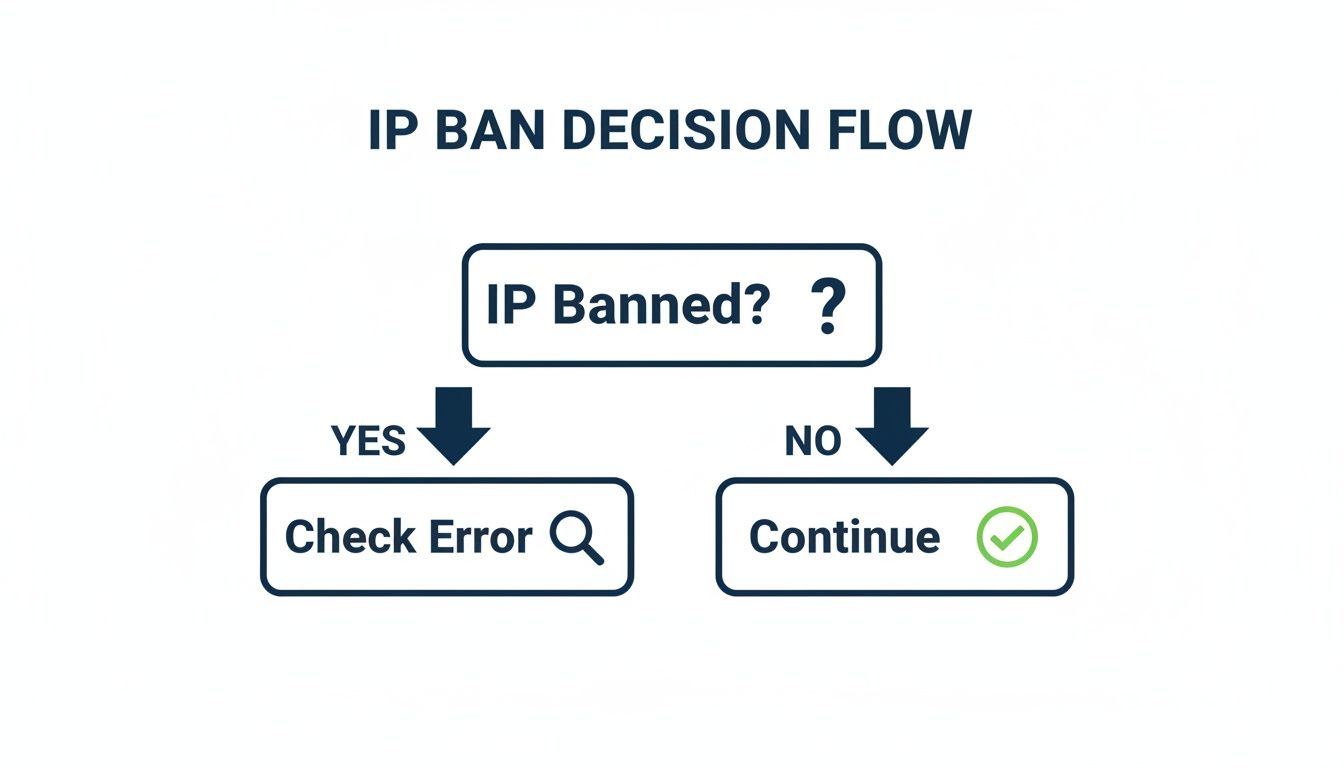
As you can see, the first move is to confirm the ban is real and then dive into the error message. That message is packed with clues.
Reading the Tea Leaves: Interpreting Ban Signals
Error codes and server responses are your best source of intel. A 429 "Too Many Requests" error is a dead giveaway for a rate limit. This is a temporary measure that almost always resolves itself if you just back off for a bit. It's the server's polite way of saying, "Hey, slow down."
On the other hand, a 403 "Forbidden" error is much more serious. This usually points to a more permanent block—the server has effectively blacklisted your IP. Simply waiting it out won't work here.
Here’s a simple way to think about it:
- Temporary Ban (Rate Limit): This is a yellow light. The system is warning you to pause. These bans can last anywhere from a few minutes to a few hours.
- Permanent Ban (Blacklist): This is a hard red light. Your IP address is now on a "do not admit" list, and you're blocked until further notice.
The key is to stop and listen to what the server is telling you. A rate limit is a prompt to change your approach. A hard block means your current IP is toast.
Is It Your IP or Your Fingerprint?
Sometimes, the problem isn’t your IP at all; it’s your digital fingerprint. Have you ever swapped to a brand-new, perfectly clean proxy IP only to get blocked again instantly? That's a classic sign of a fingerprint ban. The platform is flagging characteristics of your browser or device, like your user agent, screen resolution, browser plugins, or even the fonts you have installed.
To figure this out, try accessing the site from the same IP but using a totally different browser profile or even a different device. If you get through, you’ve found your culprit: it's a fingerprint ban. This is a critical distinction because it means rotating IPs alone won't solve your problem.
2. Deploy a Strategic Proxy Infrastructure
Once you've figured out why you were banned, it's time to build a smarter, more resilient setup. Trying to run professional ad verification or data collection campaigns from your office's direct internet connection is a recipe for disaster. One wrong move, one overly aggressive script, and your entire operation gets shut down. This is precisely where a well-planned proxy infrastructure becomes your best defense.
Proxies work by acting as a middleman. They route your connection requests through a different IP address, effectively masking your real one from the target website. It’s a simple concept, but the devil is in the details. Choosing the wrong type of proxy can land you in even more trouble than using no proxy at all.
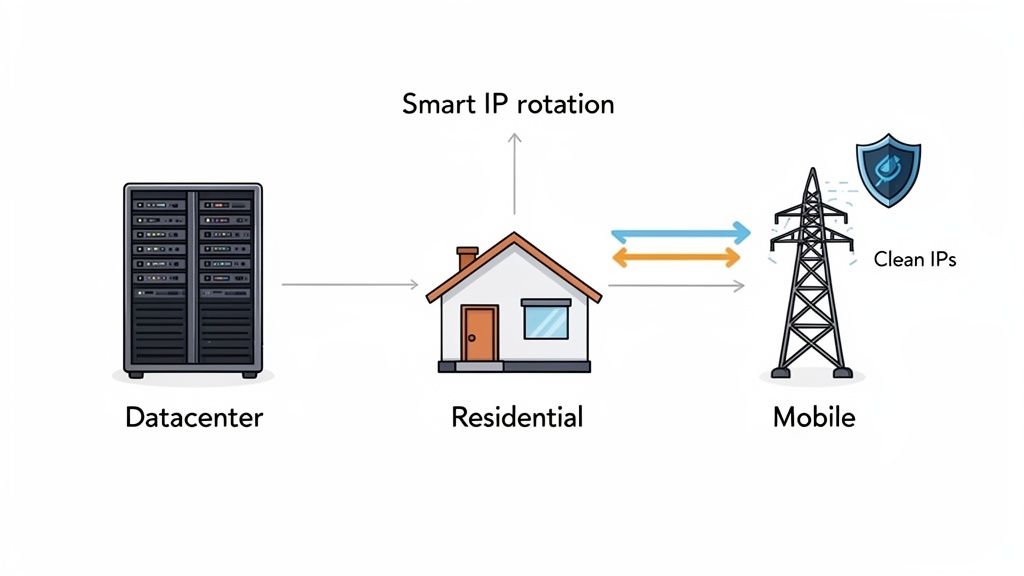
Not All Proxies Are Created Equal
The proxy world is vast, but for any serious professional work, your options narrow down pretty quickly. Forget about free or shared proxies right away. They are almost always slow, unreliable, and already blacklisted on most major platforms. You’ll spend more time dealing with their problems than getting your work done.
Here’s a quick rundown of the legitimate options you should be considering.
Choosing the right tool for the job is critical. The table below breaks down the most common proxy types, showing where they shine and where they fall short for professional tasks.
Comparing Proxy Types for Bypassing IP Bans
| Proxy Type | Effectiveness | Common Use Case | Key Weakness |
|---|---|---|---|
| Datacenter | Low to Medium | High-speed, bulk tasks on lenient sites | Easily detected and often pre-emptively blocked by major platforms. |
| Residential | High | Ad verification, e-commerce, social media management | Can be slower than datacenter proxies; quality varies by provider. |
| Mobile | Very High | Accessing highly-secured mobile apps and websites | The most expensive option, usually reserved for mission-critical tasks. |
For most professional workflows, dedicated residential proxies hit the sweet spot. They offer the legitimacy needed to fly under the radar without the premium cost of mobile IPs.
Key Takeaway: For tasks like ad verification or managing client accounts, dedicated residential proxies are the gold standard. They come from real ISP-assigned connections, making your activity look indistinguishable from that of a regular user.
The problem of IP blocking isn't just a headache for businesses. In 2025 alone, government-imposed internet shutdowns affected 798.12 million people globally, with an estimated economic cost of $19.7 billion. These restrictions often rely on the same IP blocking techniques that plague marketing and data teams. For instance, X (formerly Twitter) has faced over 18,000 hours of blocks in various regions. These staggering numbers, detailed in a full report from Top10VPN.com, underscore why having a reliable method for access is so crucial.
Implement Smart IP Rotation and Session Control
Just having access to a pool of high-quality IPs isn't the whole story. How you use them is what really matters.
Smart IP rotation is the core of this strategy. It involves automatically cycling through different IP addresses for your requests. This technique prevents any single IP from making too many requests in a short period, which is a classic red flag for automated security systems.
Equally important is session management. Think about it: if you're managing a client's social media account, you can't have your IP address jumping from New York to London and then to Tokyo within the same login session. That's an instant trigger for a security lockdown. For these kinds of tasks, you need to use a "sticky session," which maintains the same IP address for the duration of a specific task or login period.
A professional-grade service, like the ones offered by platforms such as ProxyPurpose Inc., gives you granular control over these settings. You can fine-tune your IP rotation rules and session duration to perfectly mimic natural human behavior, keeping you safely off the blocklists.
Beyond IP Swapping: The Real Deal with Advanced Blocks
Ever rotated to a sparkling clean residential IP only to get blocked again almost instantly? It’s a gut-wrenching feeling, and it’s a clear sign that you’re up against more than just a simple IP check. Today's smarter platforms are looking at your entire digital "fingerprint," making a simple IP swap feel like bringing a knife to a gunfight.
Think of it like a digital signature. Your browser fingerprint is made up of dozens of tiny, seemingly harmless data points. But when you put them all together? They create a profile that’s often unique enough to track you across sessions, regardless of your IP address. To get past these advanced systems, you have to manage your entire digital identity, not just a single piece of it.
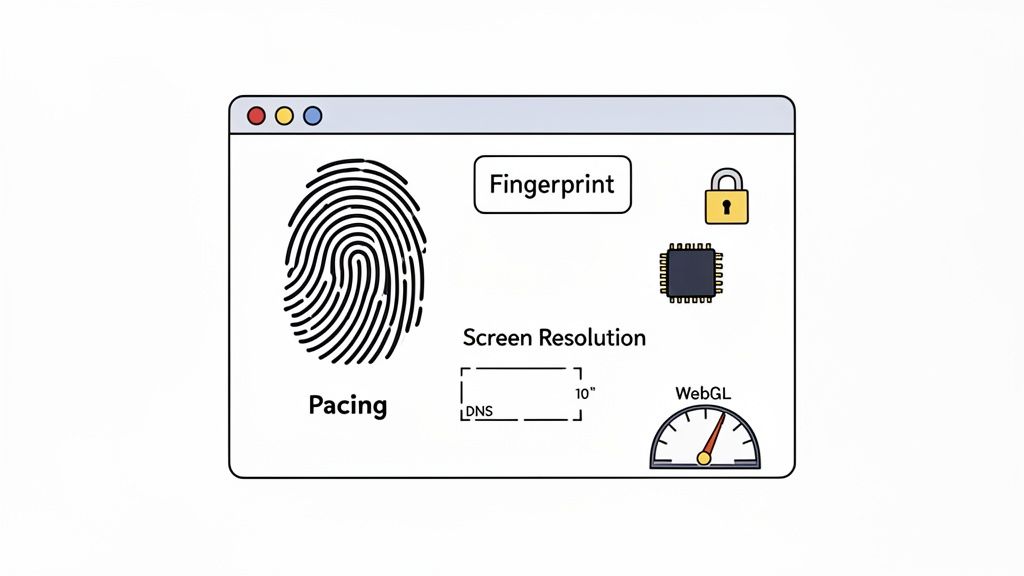
Taking Control of Your Digital Fingerprint
The secret to mimicking legitimate user behavior is to control the very variables these platforms are watching. Your goal is to make every action you take look indistinguishable from that of a regular user browsing the site. This means getting granular with the details.
Here are a few of the biggest tells that security systems look for:
- User Agent: This little string of text announces your browser and OS. If it’s unusual or doesn't match other signals, it’s a dead giveaway.
- Screen Resolution & Color Depth: You'd be surprised how unique these settings can be. It's one of the easiest ways to spot a mismatched setup.
- Installed Fonts & Plugins: The specific mix of fonts and browser extensions you have installed creates a surprisingly distinct signature.
- WebGL & Canvas Fingerprinting: These are more advanced methods that use your computer's graphics hardware to create an almost unique ID.
Imagine this scenario: your proxy IP is based in Germany, but your browser is set to English (US) and your system clock is on Pacific Time. That’s a massive red flag. For any decent security algorithm, that kind of mismatch is an easy catch.
A successful strategy requires holistic management of your digital identity. Every data point must tell a consistent, believable story. Inconsistencies between your IP's location and your browser's configuration are low-hanging fruit for detection algorithms.
Plugging Leaks and Acting Human
Beyond your browser's configuration, other data trails can easily betray your true location. One of the most common mistakes I see is a DNS leak. This happens when your browser bypasses your proxy to ask for website addresses, revealing your real ISP in the process. A truly secure setup forces all traffic—including DNS queries—through the proxy connection.
This is exactly where a service like ProxyPurpose Inc. can be a lifesaver. Their Shield Protection feature is built specifically to sniff out and block these kinds of data leaks, making sure your real identity stays hidden.
Finally, think about your timing. Humans are messy. We don't click and scroll with robotic precision. By building intelligent request pacing with randomized delays into your workflow, you can break that mechanical rhythm. This simple trick helps your scripts behave less like a bot and more like a person, keeping you safely under the radar of rate limiters and behavioral analysis tools.
Best Practices for Long-Term Ban Prevention
<iframe width="100%" style="aspect-ratio: 16 / 9;" src="https://www.youtube.com/embed/8Mog-HiT7Y4" frameborder="0" allow="autoplay; encrypted-media" allowfullscreen></iframe>Getting past an IP ban feels like a win, but it’s really just a temporary fix. The real victory lies in creating a workflow that keeps you from getting banned in the first place. You need to shift from constantly putting out fires to building a fireproof operation.
Think of it this way: every time your tools interact with a website, you're either building or eroding trust. The goal is to build a high trust score. That means acting with intention and respecting the platforms you’re working with, rather than just blasting their servers with requests.
Start with an Ethical, Proactive Mindset
Your entire prevention strategy rests on respecting the digital space you're operating in. Before you do anything else, go read the website's Terms of Service (ToS). Seriously. Understanding their rules on automated access and data gathering isn't just a box to check—it’s your best defense against getting blacklisted.
This proactive approach also shapes how you manage your digital presence. One of the smartest moves you can make is to use dedicated, clean residential IPs for different accounts or tasks. Here’s what that looks like in practice:
- One IP, One Account: Assign a unique residential IP to each social media or ad account you manage. This way, if one account gets flagged, it doesn't drag all the others down with it.
- Segment by Task: Use separate IP pools for different jobs. Maybe one pool is for ad verification and another is strictly for scraping market data.
This kind of segmentation is like having firewalls in your infrastructure. It contains risk and makes it infinitely easier to figure out what went wrong if a block does happen.
Focus on Realistic Human Emulation
To fly under the radar, your automated activity needs to look, well, human. Humans are messy and unpredictable. Robots are not. Perfectly timed, machine-gun-style requests are a dead giveaway to any modern security system. The key is to build some of that human-like randomness into your workflow.
The best way to avoid a ban is to make your automated traffic look exactly like a real person's. That means respecting rate limits, mixing up your timing, and keeping each session's digital identity consistent.
Try building "cooldown" periods into your scripts. Instead of hammering a server without a break, schedule pauses between bursts of activity. This reduces the load on their end and signals that you aren't a threat. Many of my colleagues have found success by adding randomized delays—even just a few seconds—between actions to break up the robotic rhythm.
For critical operations where you can't afford any slip-ups, a managed service like ProxyPurpose Inc. can handle this for you, ensuring your connections always have a high trust score without you needing to micromanage every detail.
Ultimately, you want to be seen as a good digital citizen. When you operate with respect and intelligence, you not only solve the immediate headache of an IP ban but also protect your agency’s reputation and bottom line for years to come.
Answering Your Questions About IP Bans
When you're deep in the trenches managing campaigns, IP bans can feel like a constant battle. It's natural to have questions, especially when things go wrong or you're trying to choose the right tools for the job. Let's tackle some of the most common questions I hear from teams dealing with these access issues.
How Do I Choose a High-Quality Proxy Provider?
Finding a great proxy provider is about more than just getting a list of IPs. You're really investing in their infrastructure, reliability, and the overall health of their network. A top-tier provider understands this and delivers performance and clean, high-trust IPs that haven't been abused by countless other users.
When you're vetting potential providers, here's what you should be looking for:
- Dedicated Residential IPs: This is the gold standard, no question. These IPs come from real Internet Service Providers and are assigned exclusively to you. This dramatically lowers the risk of getting flagged for someone else’s messy work.
- Transparent IP Health Monitoring: A good partner is open about the quality of their proxy pool. They should have active systems that constantly test for flagged or blacklisted IPs and pull them from rotation immediately.
- Granular Session Control: You need to be in the driver's seat. Your provider should let you easily switch between rotating IPs for data gathering and "sticky" sessions for managing accounts, giving you precise control over how long you keep an IP.
- Performance and Uptime Guarantees: Look for a real Service Level Agreement (SLA) that guarantees high uptime, ideally 99.9%. Every minute of downtime is a minute your campaigns are dead in the water.
A provider’s real value is in the quality of their IPs and the stability of their network. Don't cheap out here—a low-quality service will cost you far more in wasted time and blocked accounts than you'll ever save.
Are VPNs a Good Alternative for Professional Work?
For personal privacy, a VPN is a fantastic tool. It encrypts your connection and masks your real IP, which is perfect for secure browsing on public Wi-Fi. But for professional, high-volume work like ad verification or data collection, VPNs just don't cut it.
The problem is that VPNs are designed for a one-to-one connection and typically rely on a pretty small pool of shared IPs. That server IP you're using? It’s likely being shared with hundreds, maybe thousands, of other people. If just one of them gets that IP flagged, everyone using it is blocked. Simple as that.
On top of that, VPN servers are almost always housed in datacenters. As we've covered, datacenter IPs are the easiest for websites and platforms to spot and block. For any serious media buying or verification, trying to rely on a VPN is a risky, unsustainable strategy. Residential proxies were built from the ground up for these workflows, giving you the legitimate appearance and scale that a VPN simply can't offer.
What Should I Do Immediately After an IP is Banned?
The second you realize a critical IP has been blocked, your first move is simple: stop everything. Continuing to hammer the site with requests from that IP will only dig you into a deeper hole and make it much harder to recover.
Here’s your immediate action plan:
- Stop and Isolate: Kill any scripts or processes using the banned IP. Pull it from your active pool so it can't be accidentally used for another task.
- Diagnose the Cause: Jump into your logs. What happened right before the ban? Did requests spike? Did a script go rogue? Figuring out the "why" is the only way to keep it from happening again.
- Rotate to a Clean IP: Swap in a fresh, clean residential IP from your provider's pool. If you were working on a specific account, make sure the new IP is from a similar geographic location to keep things consistent.
Following these steps methodically helps contain the damage and gets you back online quickly without making the problem worse.
If you're tired of walking on eggshells with unreliable proxies and constant blocks, ProxyPurpose Inc. provides the high-trust infrastructure you need. We specialize in dedicated residential IPs with a 99.9% uptime SLA, built for the demands of media buying and ad verification teams. Stop wasting budget on flagged IPs and take control of your campaigns.